

The Inventory page gives you a searchable, filterable view of every installed package across your Salt fleet. Data is collected from minions viaDocumentation Index
Fetch the complete documentation index at: https://www.halite-app.com/llms.txt
Use this file to discover all available pages before exploring further.
pkg.list_pkgs and stored locally, so browsing the fleet’s packages does not require a live Salt connection.
The page is organised as a three-level drill-down:
- Fleet-wide aggregate — one row per package name, with how many minions have it and how many distinct versions exist.
- Version list — click a package name to see every distinct
(version, arch, source)combination and a count of minions on each. - Row-level search — use the advanced query endpoint to find all minions where a specific package version satisfies a comparison (
=,≠,<,≤,>,≥).
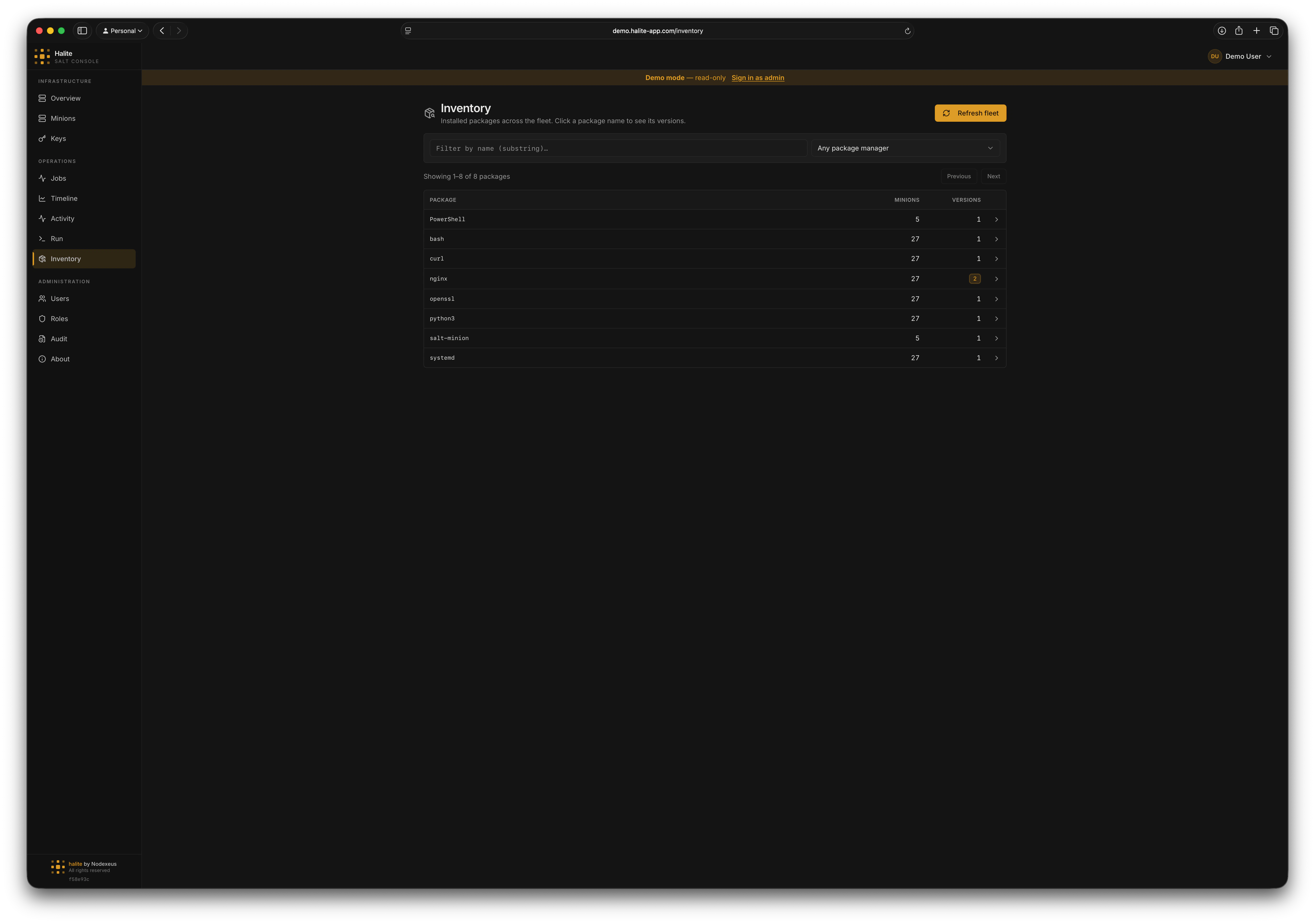
Level 1 — fleet-wide package list
The default landing view callsGET /api/inventory/packages. It groups every inventory_package row by name and returns:
| Field | Description |
|---|---|
name | Package name |
minion_count | Number of distinct minions that have this package installed |
version_count | Number of distinct versions seen across the fleet |
last_seen | Timestamp of the most recent collection that included this package |
q query parameter for a case-insensitive substring search on package name. Optionally narrow by source (apt, rpm, or pacman). Results are paginated via limit (1–5000, default 100) and offset.
Level 2 — per-package version list
Click a package row to callGET /api/inventory/packages/{name}/versions. The response contains one row per distinct (version, arch, source) combination, sorted by minion_count descending so the most-deployed version appears first.
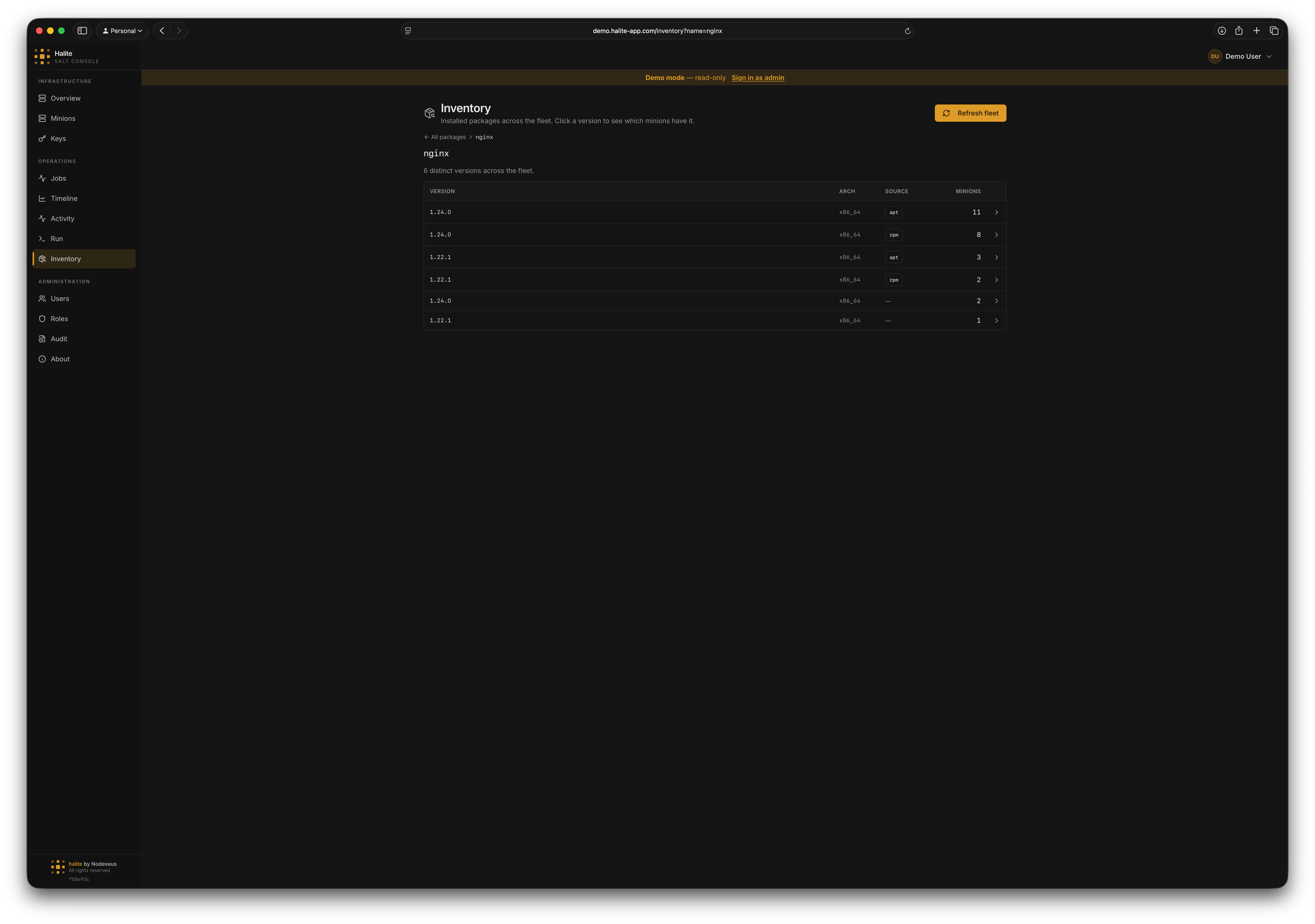
Level 3 — row-level search
POST /api/inventory/packages/search accepts a structured filter body (PackageQueryIn):
| Field | Type | Description |
|---|---|---|
name | {op, value} | Name filter: op is "eq", "prefix", or "contains" |
version | {op, value} | Version comparison: op is "eq", "ne", "lt", "lte", "gt", or "gte" |
source | string | One of "apt", "rpm", "pacman" |
minion_id | string | Filter to a single minion |
limit | int | 1–5000, default 500 |
offset | int | Default 0 |
name or minion_id is required.
Version comparison
Version strings are compared using package-manager-aware logic —"10.0" correctly sorts as greater than "2.0". The dispatcher is chosen based on the source column:
| Source | Comparison rules |
|---|---|
apt / deb / dpkg | Debian deb-version(5) spec — epoch, upstream, Debian revision, tilde pre-release |
rpm / dnf / yum / zypper | RPM spec — epoch, version, release, digit vs. letter run ordering |
pacman / arch | Arch vercmp rules (close to RPM) |
unknown / null | Generic comparator — splits on ., -, _, + and compares runs numerically when both sides are integers |
truncated flag in the response is true when the SQL candidate set was capped at 50,000 rows before the version filter ran; in that case, narrow your name or minion filter.
Refreshing inventory data
Manual refresh
Click Refresh in the Inventory UI (orPOST /api/inventory/refresh). The request body is:
target_type values: glob, list, pcre, grain, nodegroup, compound.
The endpoint fans out pkg.list_pkgs and grains.get os_family to the targeted minions simultaneously, then does a delete-and-reinsert for each minion’s rows in a single transaction. If no minions respond with usable data, the API returns 502 Bad Gateway.
Background scheduler
Halite can refresh inventory automatically. The interval is configured in-app (not via env vars) under Settings → Pollers. The relevant field isinventory_refresh_minutes — set it to 0 to disable the scheduler. You can also set inventory_refresh_initial_delay_s to control how long after startup the first run waits (default: 30 s).
The scheduler fires one iteration, waits for it to complete, then sleeps the full interval before the next iteration. A slow refresh does not queue additional refreshes. Offline minions are silently skipped and retain their previous snapshot.
See Settings for the full list of configurable intervals.
Example: finding servers with an outdated OpenSSL
Open Inventory and search for openssl
On the Inventory page, type
openssl in the search box. The fleet-wide aggregate shows all matching packages and how many minions are on each version.Click the package name
Click
openssl to view the version list. The dominant (most-deployed) version appears first.Permissions
| Route | Required permission |
|---|---|
GET /api/inventory/packages | view:inventory:* |
GET /api/inventory/packages/{name}/versions | view:inventory:* |
POST /api/inventory/packages/search | view:inventory:* |
POST /api/inventory/refresh | collect:inventory:* |
The built-in viewer role includes
view:inventory:* (read-only access). Triggering a manual refresh requires collect:inventory:*, which is not granted to viewer — assign the operator role or create a custom role to allow it.